Slotbound Wiki › Save files
Slotbound save file location on Windows and Mac
The Slotbound save file location is %APPDATA%\slotbound_full on Windows and ~/Library/Application Support/slotbound_full/ on Mac. Slotbound, Optima Arch's slot machine roguelite tower defense, syncs the save file through Steam Cloud, and demo progress does not carry over to the full game.
-
Windows
%APPDATA%\slotbound_fullPress Win + R, paste it and press Enter.
-
Mac
~/Library/Application Support/slotbound_full/Paste it into Finder's Go to Folder (Cmd + Shift + G).
Slotbound save file location on Windows
On Windows the full game saves to C:\Users\<your user name>\AppData\Roaming\slotbound_full, the folder Steam's cloud-save settings for Slotbound point to. %APPDATA% is the short way to write the first part.
Before the full game came out, when only the demo was out, the developer gave Roaming\slotbound as the save folder (16 October 2026).
Slotbound save file location on Mac
On Mac the full game saves to ~/Library/Application Support/slotbound_full/. The folder holds save_fallback.dat with a .bak copy of it, the campaign_reports and endless_reports folders, and errorlog.txt, the crash log.
Does Slotbound use Steam Cloud?
Yes, although the store page does not list it. Steam's cloud record for Slotbound on our Mac shows both save files synced, and the save folder carries the marker file Steam puts in every folder it syncs. Before release the developer had only said they would see what they could do about cloud saves (16 July 2026).
Steam Cloud only works while it is switched on for Slotbound in Steam (game Properties, General).
Demo progress does not carry over
Upgrades and unlocks from the free demo are not imported into the full game. In August 2026 the developer explained that the upgrade tree would change a lot and much more content would be added, and after launch repeated that players should start over (13 November 2026).
Continue a run after quitting
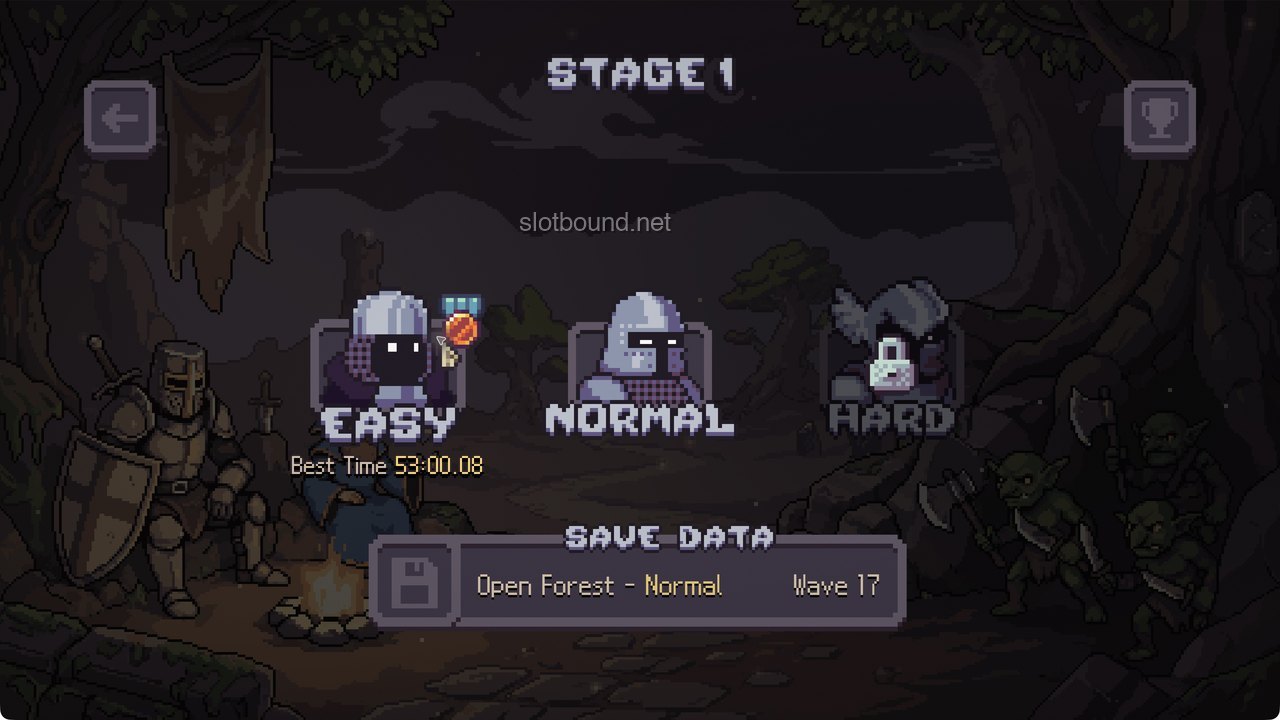
Quitting mid-run keeps the run. Open PLAY, then CAMPAIGN, pick the stage and look at the bottom of its difficulty screen: a SAVE DATA bar names the stage, the difficulty and the wave. Click it to return to that wave's preparation phase. A campaign clear finished this way can enter the clear time leaderboard. A run rolled back to an earlier state is excluded.
In one of our runs we quit on wave 17 of Open Forest Normal and came back the same way: lives, gold, Essence, units and items were all as we left them. The same bar also rescued a run where left clicks stopped responding mid-run; quitting the game and reloading SAVE DATA brought the mouse back with nothing lost.
Comments
Site
No comments yet. Ask a question or share what worked in your runs.